Debugging your smart contract
The transaction at the destination contract can be reverted because some line in the function contains invalid logic. In this case, the next steps are to identify and fix the problem, and redeploy the smart contract.
Here are some tools that may help you to investigate and address misbehavior in the destination contract.
Tenderly
Tenderly is a powerful debugging tool for simulating smart contracts. It can be used for debugging the verified smart contract with a breakpoint. Tenderly also has other useful features for smart contract development, such as forking, transaction monitoring, etc. See their full documentation here.
Note that your contract must be verified at the block explorer or Tenderly (you can follow the guide here). Also, the networks it supports are limited. Here is a list of all the networks Tenderly supports.
Now, let’s take a look at an example that will walk you through how you can use Tenderly to debug a failed transaction.
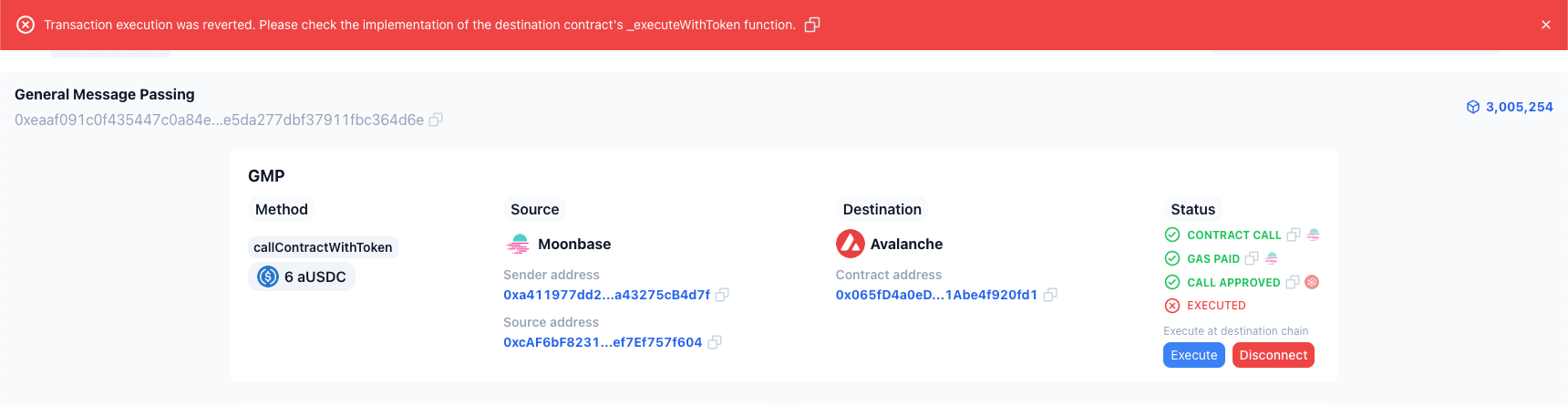
- Consider this failed transaction. If you click the
Executebutton to manually execute it from the wallet, Axelarscan will show a message indicating the transaction failed because there’s something wrong with the destination contract’sexecuteWithTokenfunction.
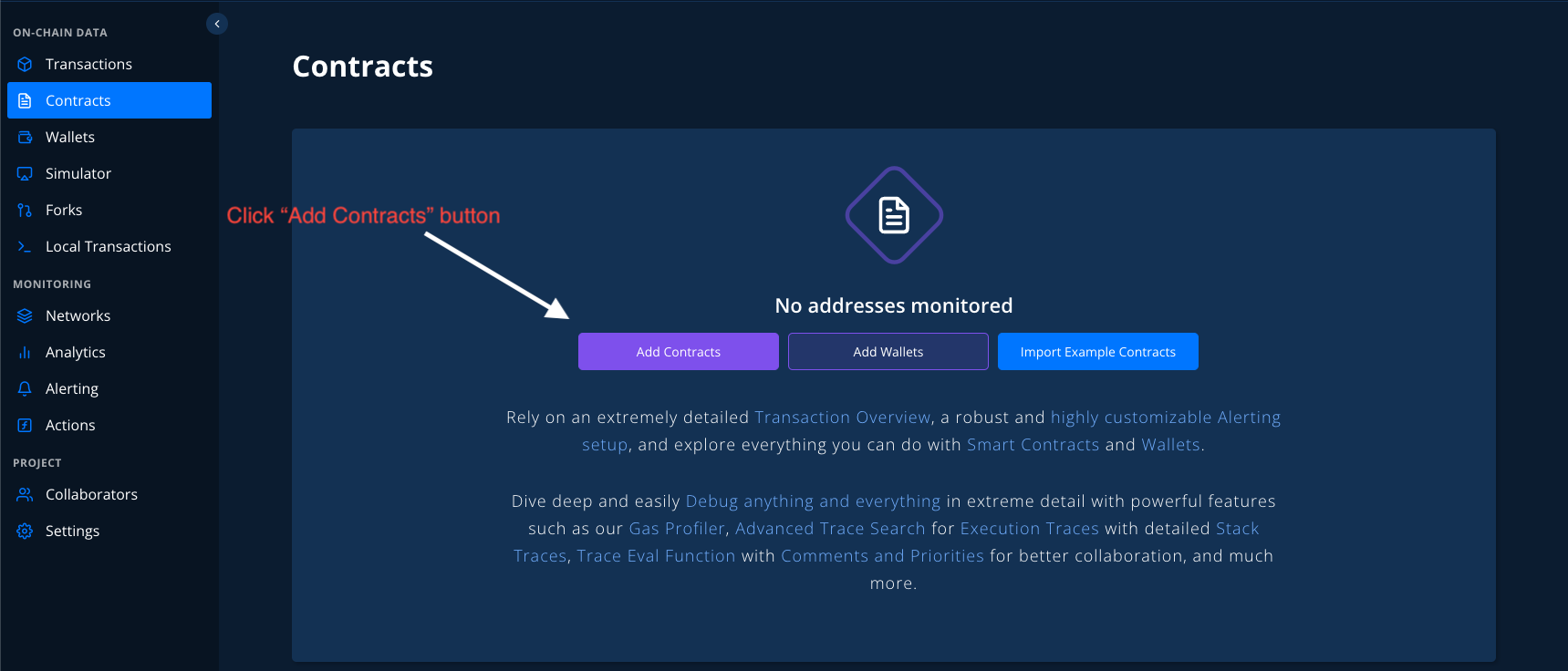
- After logging in to the Tenderly Dashboard, select the
Contractsmenu from the sidebar, then click theAdd Contractsbutton.
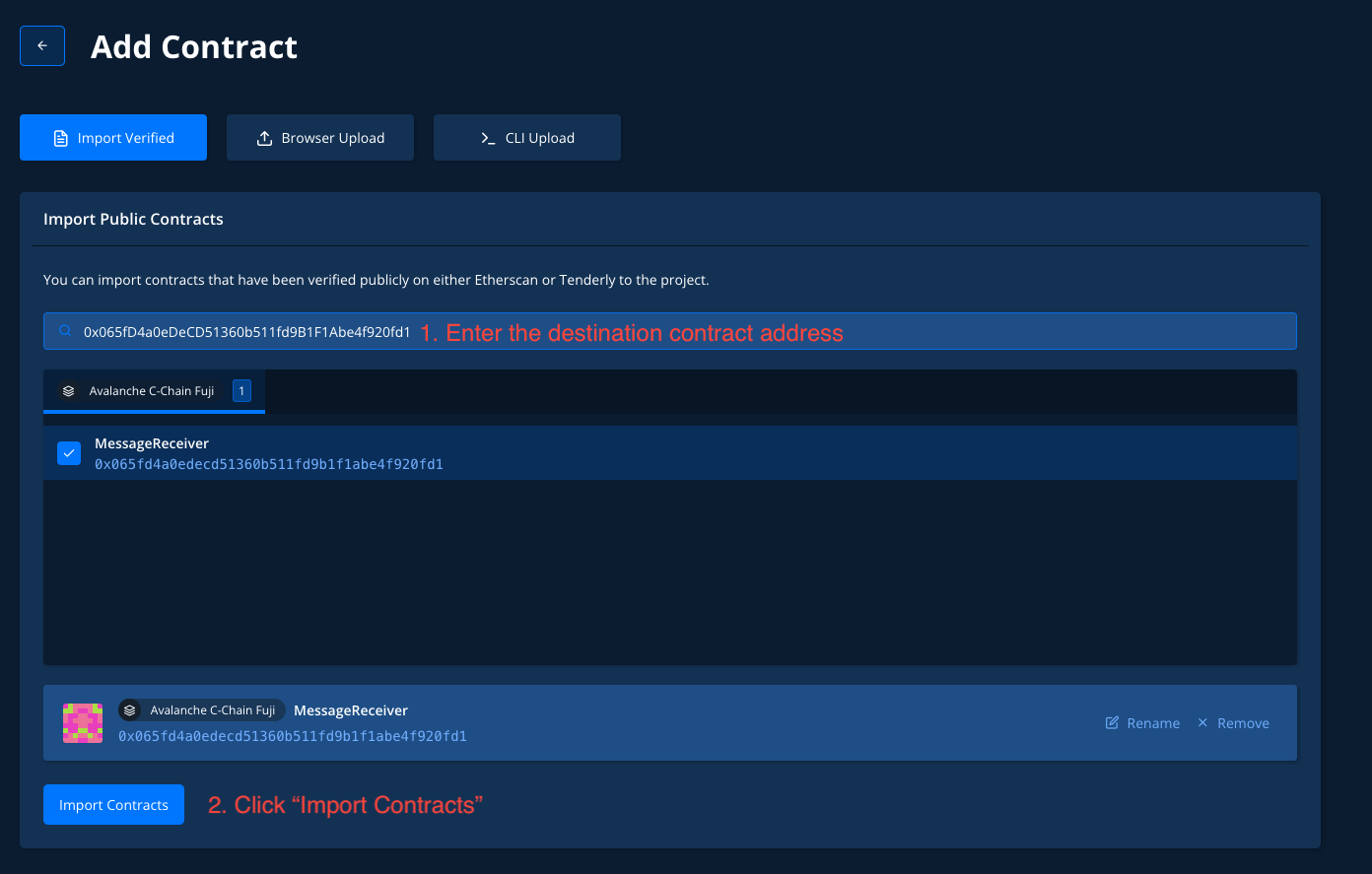
- Enter the destination-contract address by copying it from Axelarscan and click
Import Contracts.
- Select the
Simulationmenu and click theNew Simulationbutton.
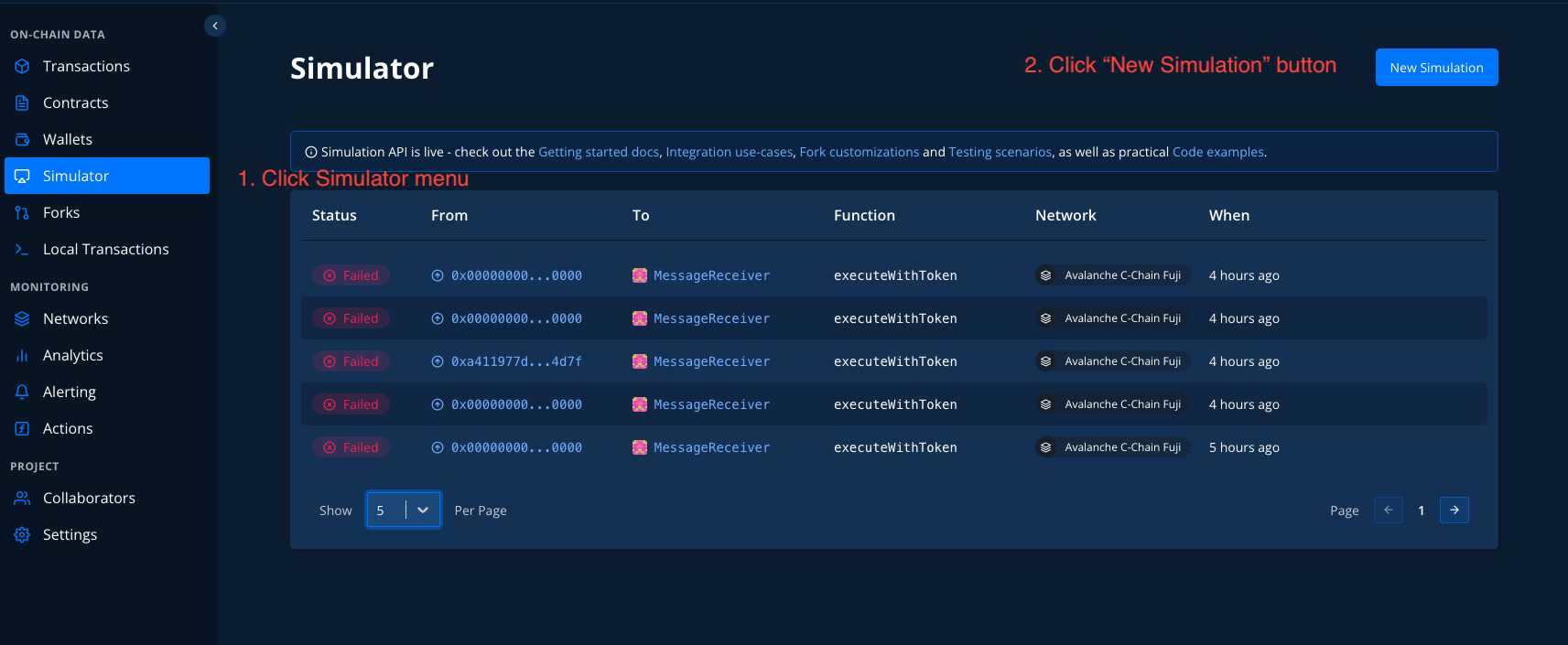
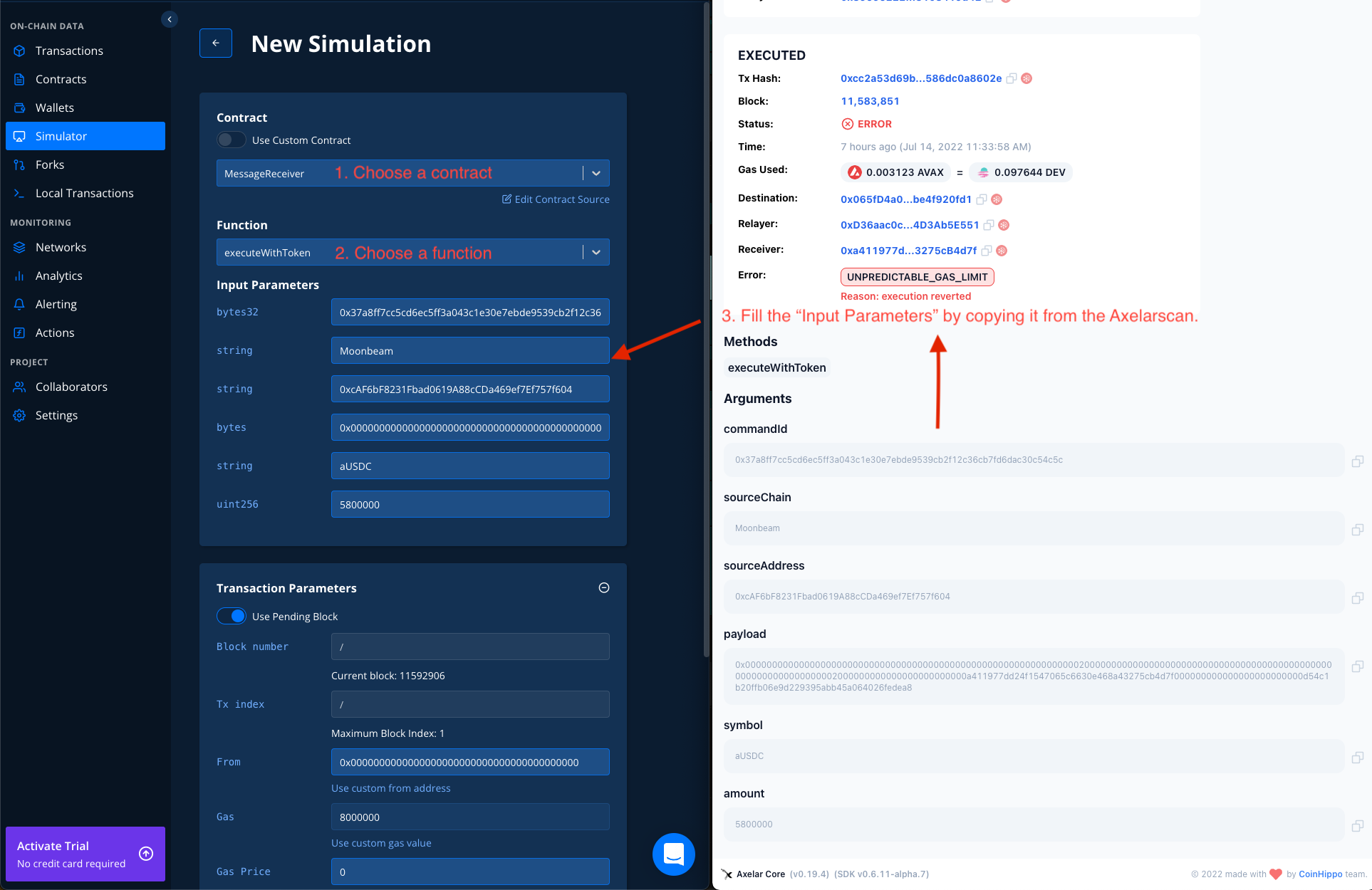
- Fill the transaction info as shown below.
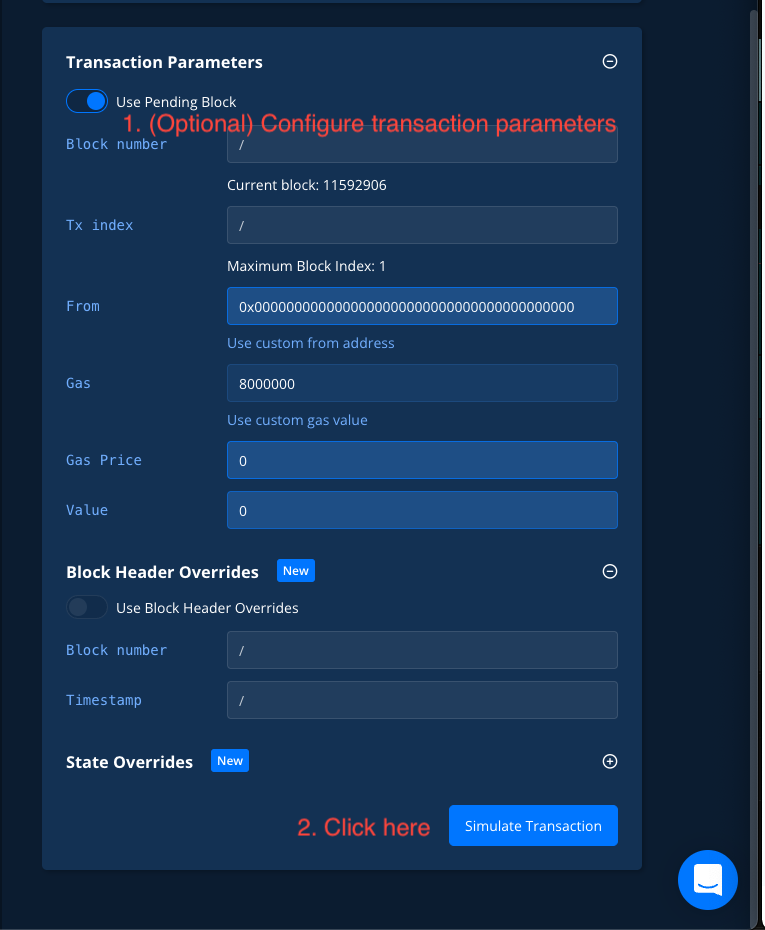
- You can customize transaction parameters if you want (optional). In this case, the default parameters are fine. If everything okays, then click the
Simulate Transactionbutton.
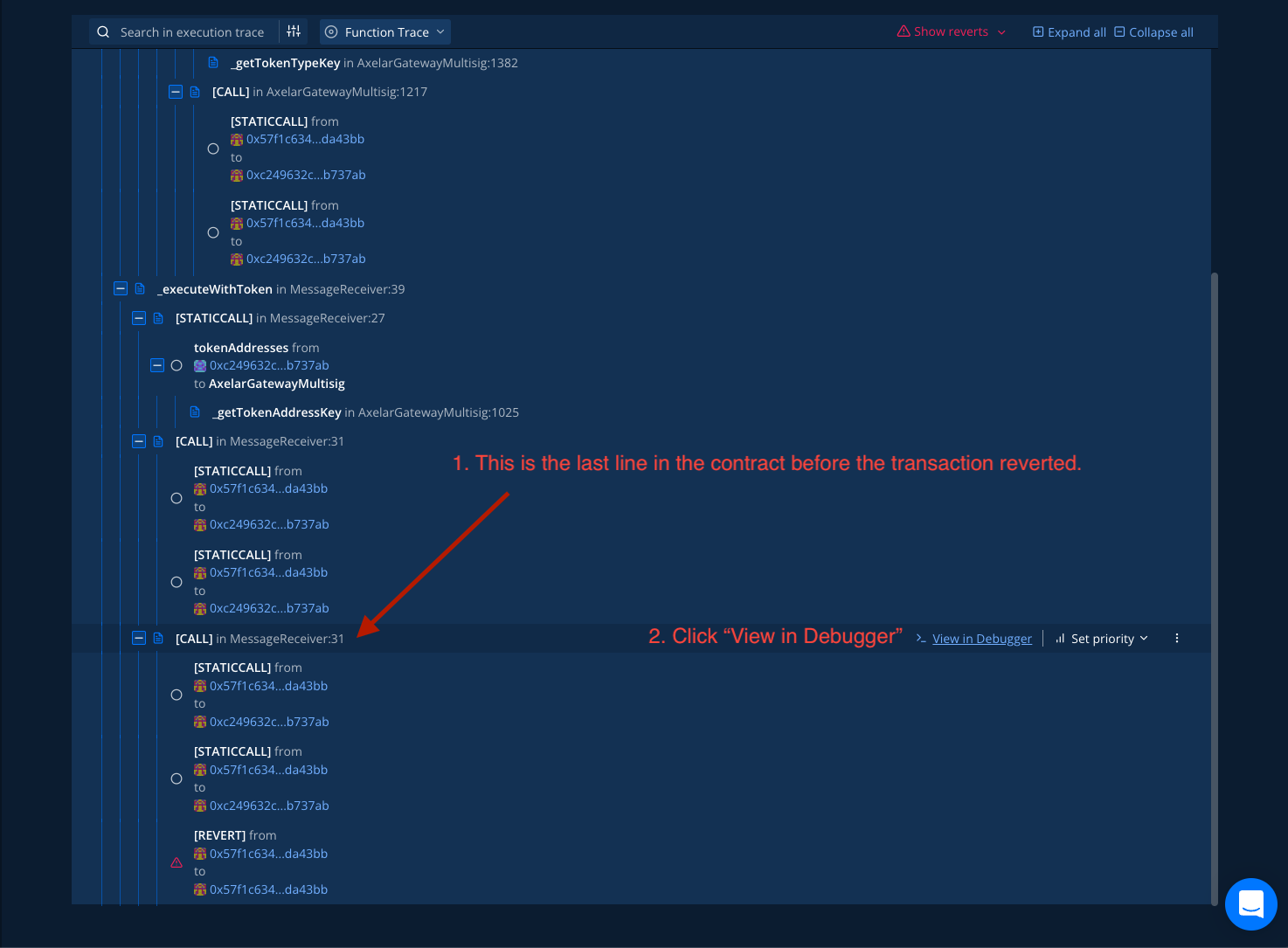
- Scroll down to the bottom, you will see the last execution line in the smart contract code. Click the
View In Debuggerbutton to see more details.
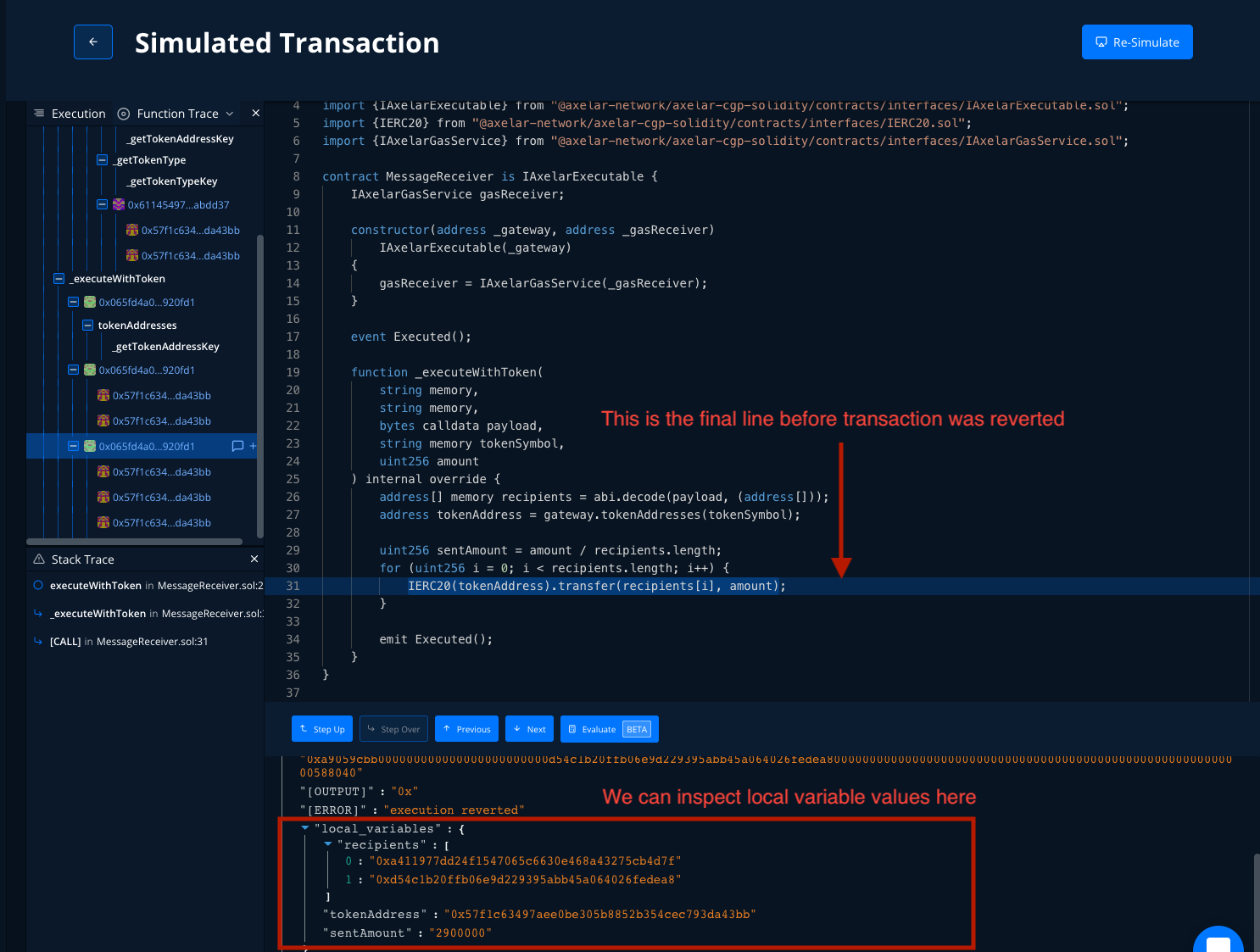
- At this step, you can see the code that is causing an issue. The problem is that this contract passed
amountinstead ofsentAmountinto thetransferfunction, so it has insufficient funds to call a transfer function. That’s the reason why this transaction was reverted.